
Complete source and actual reconstruction
Generated 2026-11-17. Figma import not re-tested for this file.
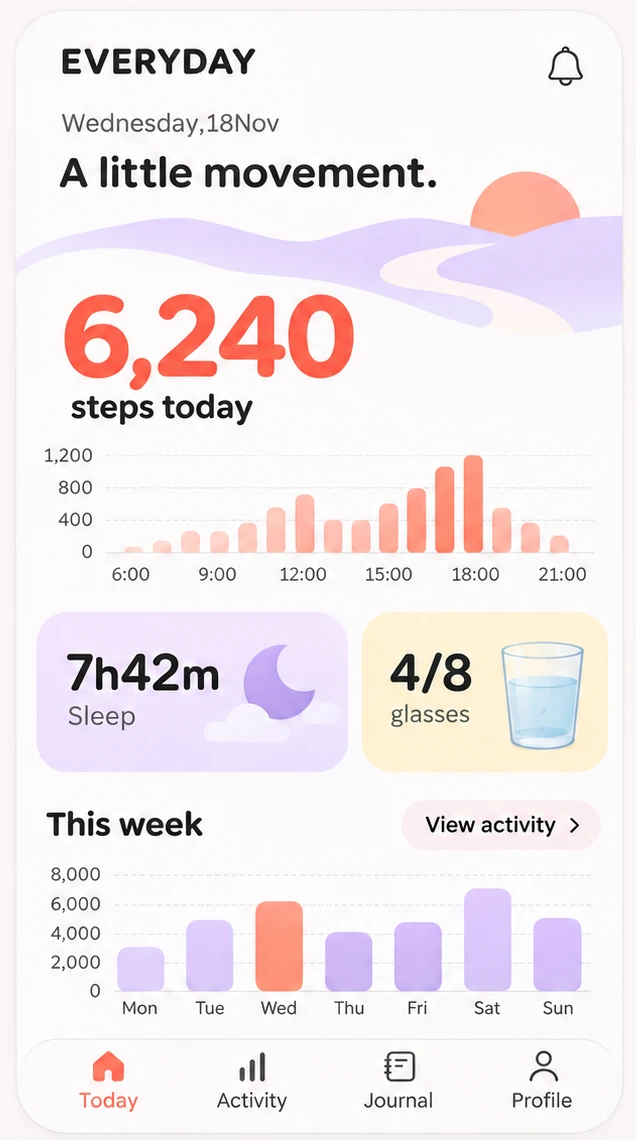
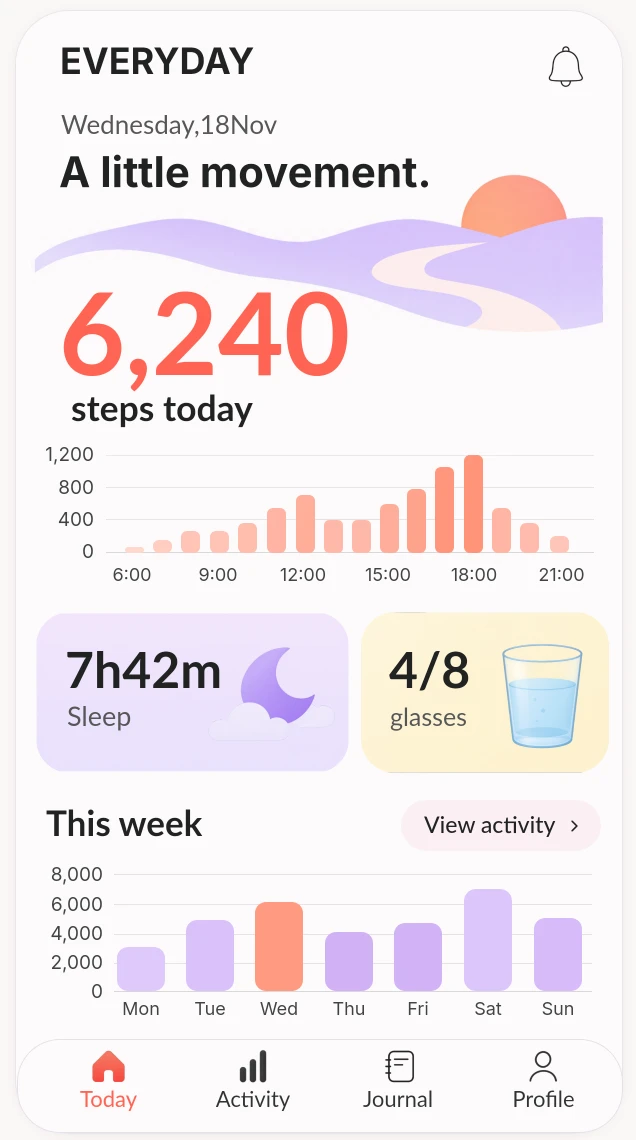
84 objects: 37 text, 36 shapes and 11 images. Historical reconstruction: 2026-11-17; offline render and object review: 2026-11-23.
What to inspect in the 84 objects
| Object | What the retained result contains |
|---|---|
| 37 text objects | 6,240, steps today, This week, axis labels and navigation labels are native text. When changing a number, check punctuation, size, available width and nearby spacing. |
| 36 shape objects | The 16 daily bars and seven weekly bars are individual rectangles; grid lines and the navigation surface are shapes too. Changing a bar height does not update data: no data source or linked chart component was recovered. |
| 11 image objects | The sunrise, moon, water glass and navigation icons are image objects. The sleep and water card gradients also remain images, whose internal details are not editable vector nodes. |
| Fonts | The actual text objects use Inter and Lato. Before continuing in Figma, check font and weight availability, digit widths and label wrapping. |
Details that still need comparison
The main sections, cards and chart layout can be compared directly, but number formatting, heading spacing and small labels still differ from the source. Object counts describe this result’s structure; they do not prove pixel accuracy or correct chart data.
This review covers actual object types, a complete offline render and source comparison. We did not newly test native Figma import for this draft or running dashboard interactions.
Continue with import and editing
To try importing a file, use the Dayline sample, which already has native Figma import and text-editing evidence. It is a different actual draft; that evidence does not validate this activity screen.
Download the sample and follow the Figma import guide
Frequently asked questions
Do the bars update when a number changes?
In this result, the bars are individual shapes and labels are text. There is no data binding; after editing numbers, adjust bar heights and check their relationship yourself.