
Compare the complete wide interface
Generated 2026-11-17. Both images are 1536 × 512. Figma import not re-tested for this file.
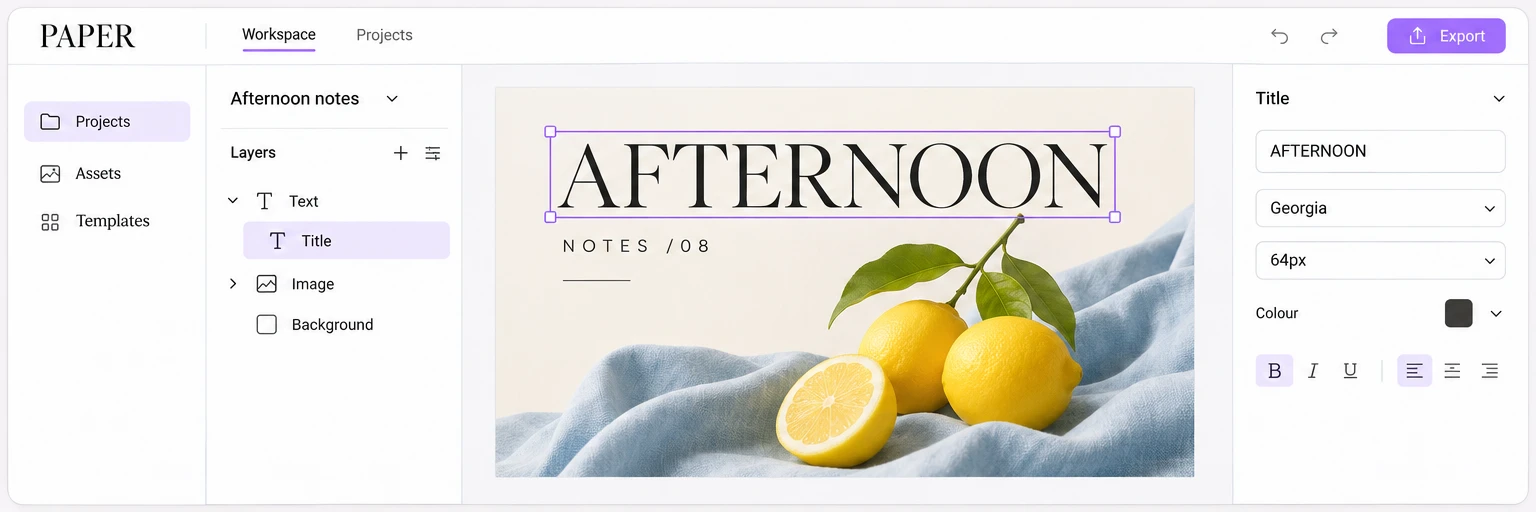
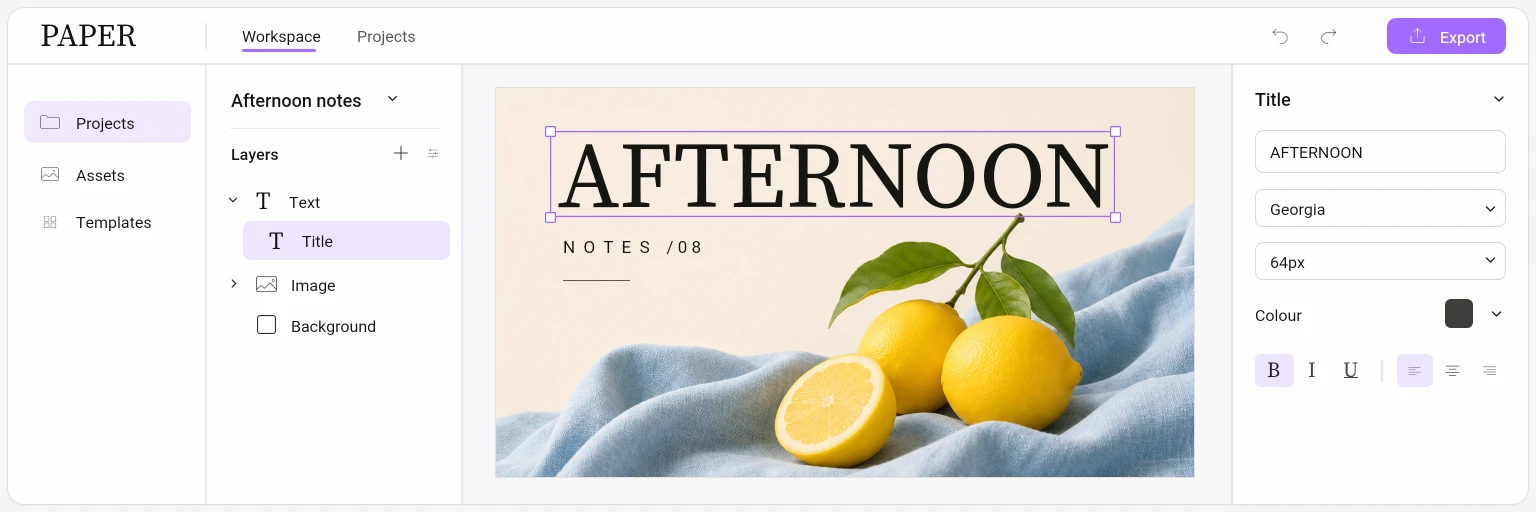
72 objects: 25 text, 27 shapes and 20 images. Historical reconstruction: 2026-11-17; offline render and object review: 2026-11-23.
Concrete checks in the 72 objects
| Object | What the retained result contains |
|---|---|
| 25 text objects | AFTERNOON, Afternoon notes, Projects and the right-panel values are native text. Compare title letter spacing, then verify the short labels in both sidebars. |
| 27 shape objects | Toolbar surfaces, dividers, the selection outline and its four corner handles are shapes. The depicted selection outline is a reconstructed object, not the current editor’s live selection state. |
| 20 image objects | The lemon-and-linen background is one image object; toolbar and sidebar icons are images too. You can move or resize the entire background, but cannot separately edit its lemon. |
| Actual fonts and depicted labels | The AFTERNOON title actually uses Source Serif 4; most sidebar text uses Roboto. Georgia in the depicted inspector is a reconstructed text label, not evidence that the title uses that font. |
Check the static controls and remaining differences
The retained result shows both sidebars, canvas and background, with differences in title spacing and inspector labels. A thumbnail shows the overall arrangement; it cannot establish accurate small text or pixel matching. Open the full-size images and check AFTERNOON, Georgia, 64px and sidebar labels first.
Export, font selectors and alignment buttons are reconstructed objects depicting controls from the screenshot. They do not restore the original application’s export, font switching or alignment behavior. Native Figma import for this draft was not newly tested in this review.
Continue checking text and import
Practice .fig import with the verified Dayline sample
Frequently asked questions
Does a font name visible in a screenshot identify the actual font?
Do not rely on the depicted label alone. Here, Georgia is text in the right panel, while the actual title object uses Source Serif 4. Select the real text object and inspect its font properties.